
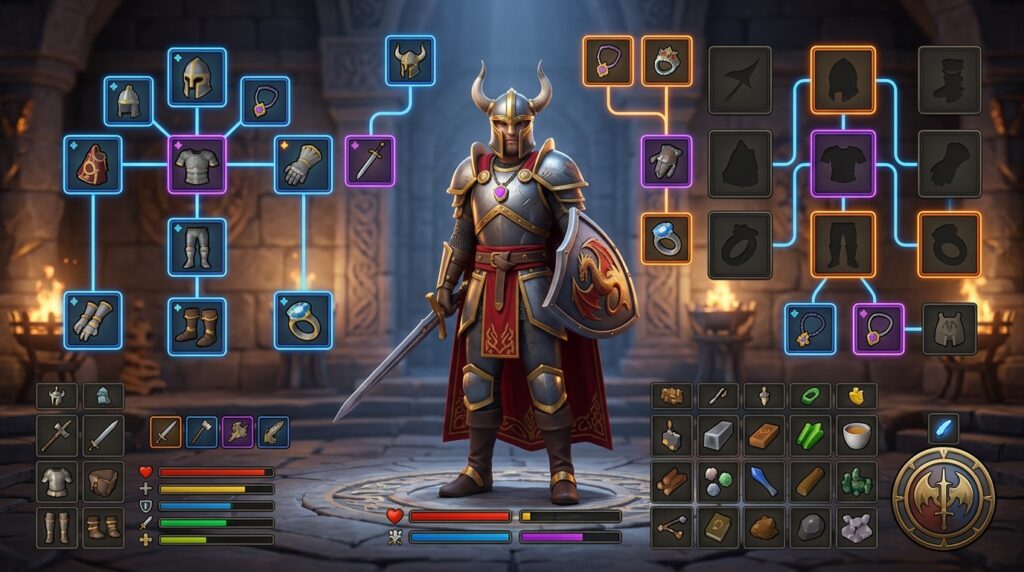
The best OSRS gear tracker helps you stop wasting time rebuilding setups before every trip. Whether you are gearing up for Zulrah, Vorkath, or a Slayer task, the right tool can save your equipment, inventory, prayer setup, and spellbook in one place. It can also help you find the strongest gear already in your bank.
Not every tracker works the same way. Some are built for quick in-game loadouts, while others compare owned items, estimate DPS against a specific NPC, or record how your gear improves over time. Knowing which type you need makes it easier to choose a tracker that fits the way you play Old School RuneScape.
Key Takeaways
- Choose an OSRS gear tracker based on your goal: use in-game setup tools for repeatable loadouts, owned-item tables for bank-based gear recommendations, DPS planners for boss-specific comparisons, and progression trackers for long-term upgrade history.
- Prioritize tools that import your bank or inventory, save equipment and supplies, compare Best-in-Slot options, and identify missing upgrades based on your actual stats, items, and budget.
- Use boss-specific DPS comparisons to measure whether expensive upgrades meaningfully improve accuracy, max hits, attack speed, or special attacks before spending GP.
- No single tracker handles every gear-planning task well, so combine an in-game loadout tool with an owned-gear checker and a DPS or comparison resource for the most reliable upgrade plan.
Introduction to OSRS Gear Trackers
Choosing the best OSRS gear tracker can make expensive upgrades easier to plan. When you are saving for a Twisted Bow, Bandos chestplate, or a stronger weapon for a new boss, seeing what you already own helps you avoid wasting bank value on duplicate items. A reliable tracker can also show which equipment you are missing for a planned setup and help you choose your next purchase. This makes it useful whether you are preparing for raids, Slayer bosses, or general upgrades.
The term “gear tracker” can describe several types of tools, so decide what you need before choosing one. Some trackers save complete loadouts, including equipment, inventory, and spellbook choices, so you can quickly rebuild a setup for activities such as Zulrah or Vorkath. Others search your owned items and suggest the strongest gear you can use, while DPS-focused tools compare setups against a specific NPC. Historical trackers take a different approach by recording how your gear and account progress change over time.
The best option for you should make it simple to check owned items, spot missing upgrades, and compare realistic next steps. Look for bank or inventory imports, saved loadouts, Best-in-Slot comparisons, and clear upgrade suggestions that match your stats and budget. A tool that only recommends perfect gear may be less useful if you are still working toward items such as an Osmumten’s fang or a Dragon hunter lance. By matching the tracker’s features to your goals, you can turn your bank, boss plans, and upgrade targets into a clear gear roadmap.
Inventory Setups for Saved Loadouts
An in-game Inventory Setups plugin is a practical OSRS gear tracker for saving and reusing complete loadouts. You can record your equipped items, inventory, potions, food, teleport items, and runes, then check the setup before heading to activities such as Vorkath, Slayer tasks, Zulrah, or Chambers of Xeric. Its visual checklist helps you spot missing supplies or equipment without opening a separate website. This is especially useful when you are planning expensive upgrades and want to know what each loadout still needs.
For example, you can save a Vorkath setup with ranged gear, extended super antifire potions, food, teleport items, and crumble undead runes. You can then switch to a Slayer setup with the correct weapon, protection gear, ammunition, and task supplies. An Inventory Setups plugin saves what you want to bring, but it does not automatically choose the strongest or most cost-effective setup for every boss. You still need to decide whether upgrades such as a better weapon, shield, or amulet are worth buying. A Best-in-Slot or gear-planning resource can help with that decision. Once you choose your gear, the plugin turns the final loadout into a reliable in-game checklist you can reuse.
OSRS Gear Tables for Owned Items
An owned-item gear table helps you find the strongest equipment already available in your Old School RuneScape bank. Filter by combat style, attack or defence stats, game mode, and owned items to narrow your choices instead of checking every bank tab by hand. A bank import can give you a clear view of your current gear, making it easier to spot the best weapon, armour, and accessories you can use right now. This makes an owned-item tracker useful when you are planning expensive upgrades and want recommendations based on items you actually own.
The table can also show what you are missing, so you can turn vague upgrade plans into clear next purchases. For example, you can compare your Dragon scimitar with an Abyssal whip and quickly see whether the whip is the right melee upgrade for your goals. You can also review your Barrows gear to identify which pieces are worth replacing first, rather than spending coins on small improvements with little impact. By comparing owned equipment with stronger options, an OSRS gear table helps you plan a realistic path toward your next Best-in-Slot setup.
DPS and OSRS Gear Comparisons
A DPS-focused tracker helps you test an upgrade against a specific Old School RuneScape target instead of relying on a general Best-in-Slot list. Select Vorkath, Zulrah, or the Grotesque Guardians, then compare weapons, armour, prayers, and special attacks to see which setup offers the best damage for that fight. A manual gear picker gives you more control by letting you build your current loadout, add possible purchases, and compare the results side by side. This makes it easier to check whether a costly upgrade, such as a Dragon hunter crossbow for Vorkath, is worth buying now.
You can also use a Best-in-Slot finder to identify the strongest items for a combat style, then compare that recommendation with the gear already in your bank. Save different loadouts for ranged Zulrah, melee Grotesque Guardians, or a hybrid Vorkath setup, and share them when you want another player to review your choices. Together, these features help you track owned items, spot missing equipment, and plan your next purchase before spending millions of coins. The best OSRS gear tracker for you depends on whether you value automatic DPS advice or hands-on loadout planning.
Progression Tracking and Upgrade Planning
A progression tracker is useful when you want your gear history and long-term OSRS progress in one place. It is not designed to make real-time gear selections during a fight, but it can preserve snapshots of your current setup so you can see how your account has improved. Start by recording the gear you use for common activities, such as a ranged setup for Vorkath, a magic setup for Zulrah, or melee gear for Slayer. Add or review the items in your bank as well, so your upgrade plan reflects what you already own instead of suggesting purchases you do not need.
Once your inventory is documented, compare your current equipment with Best-in-Slot targets for the bosses and activities you care about. For example, you might compare a Dragon defender and Abyssal whip setup with a planned upgrade to a Ghrazi rapier, or check how replacing a basic ranged weapon could improve your Vorkath setup. Use boss-specific DPS calculations to measure the actual gain from each purchase, including changes to accuracy, max hit, attack speed, and special attacks. Saving each result gives you a clear record of which upgrades improved your performance and which were less valuable than expected.
Your final step is to turn those comparisons into a purchase order based on your OSRS goals and available GP. If you are learning raids, a raid-focused upgrade may deserve priority over a small boost to a Slayer setup. A player saving for a Twisted bow should also avoid spending freely on minor upgrades. A progression tracker works best as a dashboard, helping you monitor missing items, completed upgrades, and the setups you used at each stage of your account. This makes it more useful for long-term planning than a live gear picker when your main goal is managing expensive purchases with confidence.
Choosing Your OSRS Gear Tracker
Choosing the best OSRS gear tracker depends on what you want to do with your equipment data. For most players, an in-game tracker that saves equipment and inventory setups is the strongest overall choice, especially when you regularly switch between a Zulrah setup, a Slayer setup, and a Barrows loadout. If you are planning expensive upgrades, a bank-import tool is more useful for discovering which strong items you already own and which pieces are missing. A DPS-focused planner is better when you want to test upgrades against a specific NPC, such as comparing a toxic blowpipe setup with a bow of faerdhinen setup. Manual gear comparison tools also work well when you want to build, compare, or share a loadout yourself.
Progression-focused trackers fill a different role by showing how your equipment changes over time, rather than telling you which item to buy next. That history can help you review upgrades such as moving from dragon equipment to Bandos armour or replacing a dragon defender with an avernic defender. No single OSRS gear tracker handles saved setups, owned-item discovery, DPS planning, manual comparisons, and progression history equally well. For the most reliable gear-planning process, combine an in-game setup tracker with an owned-gear checker and a DPS or comparison tool. This approach helps you identify missing equipment, choose worthwhile next purchases, and avoid expecting one tracker to handle every gear-planning task.
Choose the Right OSRS Gear Tracker
The best OSRS gear tracker depends on what you need to manage. For saving repeatable setups, an in-game tracker that records your equipment, inventory, spellbook, and prayer choices is the most practical option for activities such as Zulrah, Slayer, or Chambers of Xeric. If you are planning expensive upgrades, choose a tool that can compare your owned items with Best-in-Slot recommendations and highlight missing pieces, such as an Osmumten’s fang, Torva platebody, or Tumeken’s shadow. DPS-focused planners are also useful when you want to test a setup against a specific NPC instead of relying on a general gear ranking.
A strong tracker should help you move from checking your bank to making a clear purchase plan, while historical snapshots can show how your account has progressed over time. No single option handles saved loadouts, owned-gear searches, DPS testing, and progression tracking perfectly, so combining a practical in-game setup tool with a gear comparison resource often gives you the best results. Before spending valuable OSRS GP, confirm that the tracker reflects your actual bank, compares relevant bonuses, and supports the content you plan to play. If you are also considering outside account services, learn more about the hidden dangers of OSRS boosting services so you can protect your account while improving your gear and progress.