
The osrs weapon slot is your main-hand spot on the Worn Equipment interface. Whatever you hold there sets your combat style and helps decide which of your other gear boosts your damage most. Old School RuneScape gives you 11 equipment slots. Together with the 28-slot inventory, that means you can carry 39 items when every equipment slot is filled. Equipped items don’t use inventory space, but the weapon you pick still affects what else you bring, so it’s one of the first choices you make before packing for a task.
Some skilling tools can also be equipped in this slot. A pickaxe or axe can sit there while you train, then swap out for a fighting weapon when a monster shows up. The best pick depends on what you’re doing, not just on which weapon has the highest level requirement. Think about the activity first, then the stats, then how the weapon works with a shield or other off-hand item. The sections below walk you through each step, with a melee example and a magic example so you can see how the choice plays out in real gear.
Key Takeaways
- Keep at least one inventory spot free before you leave, so you can swap weapons without getting stuck mid-fight.
- Check the attack speed in your Equipment interface, since a weapon’s modified speed is the number that matters in a fight.
- Save 100,000 coins for a dragon scimitar from Daga’s Scimitar Smithy, since its shop price is fixed.
- Budget around recent completed trades rather than the guide price, since a Grand Exchange guide price may not match what you actually pay.
Where Does the Weapon Slot Sit in Your Equipment?
The weapon slot is your main-hand spot on the Worn Equipment interface, where whatever you wield in your right hand sits while you play. It’s one of the 11 equipment slots. The others hold your helmet, body, legs, gloves, boots and the rest of your worn gear. Each slot holds one item, so the weapon slot always shows you exactly what your character is holding.
Your inventory is a separate space with 28 slots. Equipped items don’t take up backpack room, so a weapon you have equipped doesn’t use one of your 28 inventory spots. The catch is that when you swap weapons, the old one has to go somewhere. If your inventory is completely full, you may not be able to switch, so keep at least one spot free before you head out.
The weapon slot also decides your combat style. A melee weapon puts you in melee attack options, while a magic staff or a powered weapon changes what you can cast. Your other equipment is built around that choice, because your armour and accessories help most with the damage type your weapon uses.
Some skilling tools can sit in this slot too. When you equip a pickaxe while mining, it stays out of your backpack, which leaves more room for ore and supplies. When it’s time to fight, you can swap in a real weapon and keep the tool in your inventory until you need it again.
Can You Use a Shield With Your Weapon?
Yes, but only if your weapon is one-handed. A one-handed weapon leaves the shield slot free, so you can pair it with a shield or a defender. The Weapon page on the OSRS Wiki explains that a two-handed weapon takes up both the weapon slot and the shield slot, so you can’t wear a shield while holding one.
The main thing to watch is space. Equipping can fail when both slots are occupied and your inventory is full, because the item you take off needs somewhere to go. Before you leave for a task, keep at least one inventory spot open. That way you can switch between a two-handed weapon and a one-handed weapon with a shield without getting stuck halfway through a fight.
Your choice comes down to what you want your off-hand to do for you. Here’s how the two setups differ:
- A one-handed weapon with a shield or defender gives you the defence bonuses that shield-slot items bring, which helps when you expect a lot of incoming hits.
- A two-handed weapon gives you damage, because strength bonuses raise the maximum damage your weapon can deal for its combat style.
Think about the monster in front of you before you pick. If you’re training to hit harder, a two-handed weapon keeps your off-hand busy with the weapon itself. If you’re facing a fight where you take more damage than you deal, a shield is the better match. Check the numbers on the Equipment Stats in your interface, since each item’s stats show exactly what it adds to your setup.
How Do You Compare Weapon Stats Correctly?
To compare weapon stats correctly, look past the level requirement and check the bonuses, the Prayer bonus and the real attack speed. A level requirement only tells you whether you can wield a weapon. It doesn’t tell you how well the weapon will perform.
Weapon stats cover several areas. You’ll see attack and defence bonuses, plus melee, Ranged and Magic strength bonuses, and a Prayer bonus. Each one does a different job:
- Attack bonus: helps you land hits against a monster’s defence in the style you’re using.
- Defence bonus: helps protect you from incoming hits of that style.
- Strength bonus: raises the maximum damage a hit can deal in melee, Ranged or Magic.
- Prayer bonus: slows how fast your Prayer points drain while a prayer is active.
Strength bonuses matter most when you want to hit harder. A higher melee strength bonus raises the top end of your melee hits, which is why many players check that number first when they plan a melee task. The Prayer bonus is easy to overlook, but it means your prayer points last longer, so you can keep protection up for more of a fight.
Attack speed is the next thing to check. In Old School RuneScape, one combat tick lasts 0.6 seconds. A scimitar has a 4-tick attack speed, which works out to 2.4 seconds between attacks. A longsword has a 5-tick speed, or 3.0 seconds between attacks. The scimitar swings more often, so the numbers can change your damage per minute even when the hit sizes look similar.
You can check the real speed in your own interface. Since 11 January 2023, the Equipment interface has shown both a weapon’s base attack speed and the actual speed after any modifiers are applied. Open your worn equipment, select your weapon, and compare the two numbers. If they differ, the modified speed is the one that matters in a fight. The Equipment Stats page on the OSRS Wiki explains what each line means.
Why Is the Dragon Scimitar a Popular Melee Pick?
The dragon scimitar is a popular melee pick because it’s a strong, well-known weapon with clear requirements, a fixed shop price and a wide range of uses. It’s far from the only good melee option, though. Here’s what it asks of you.
First, you need 60 Attack and the completion of Monkey Madness I before you can wield it. That means finishing the quest and reaching the level, so plan ahead if you want this weapon for a task you have in mind.
Next, the price is easy to plan for. Daga’s Scimitar Smithy lists the dragon scimitar at 100,000 coins, so you know what to save before you walk in the door.
Because it swings on a steady rhythm, you can time your prayers and food around each hit without guessing.
Many players pick it for Strength training. Whips and hastae can’t train Strength alone, so if your goal is to raise your Strength level, the dragon scimitar is a common choice among melee weapons. Check the requirements on your own account first, since some training methods depend on what you’ve already unlocked.
The OSRS Wiki’s dragon scimitar page lists it in recommended equipment for Nightmare Zone melee, Slayer and Revenants. Those are specific setups for specific activities, not rules that apply everywhere. A different melee weapon may suit your stats, budget or combat style better, so use the same checks covered above before you commit.
What Does the Trident of the Seas Do for Magic?
The Trident of the Seas is a one-handed powered staff that requires 75 Magic to wield, and its built-in spell is a big part of why it matters. Once it’s charged, you can cast that spell no matter which spellbook you have open, so you don’t have to switch spellbooks to use it. Because it’s one-handed, you can also pair it with a shield or defender, just as you would with a melee weapon.
A standard Trident of the Seas can hold up to 2,500 charges. Each cast uses one death rune, one chaos rune, five fire runes and 10 coins. Those costs add up quickly, so before a long session, work out how many casts you expect to make and gather the runes and coins for that many. Running out halfway through a fight is the easiest way to lose a trip.
Charging is flexible too. Following a game update on 14 May 2025, you can also charge the Trident of the Seas with combination runes. That gives you another way to fill the staff when your rune stock is limited, so check which runes you already have before you buy anything new.
The trident also shows up in recommended equipment lists for Magic setups. Those listings include Zulrah, Kraken and Chambers of Xeric. These are method-specific choices, built around what those particular fights demand. They aren’t universal rules, so a setup that works for one boss may not suit another. If you plan to train or fight something different, check your own Magic level, rune supply and budget first.
To decide whether the trident fits your plans, use the same checks from earlier in this guide. Look at the strength and attack bonuses, check the attack speed in your own interface, and then add the running cost of each cast to the comparison. A weapon with a built-in spell can save you from carrying extra spell-casting gear, but only if you can keep it charged.
Are Grand Exchange Prices Reliable for Weapons?
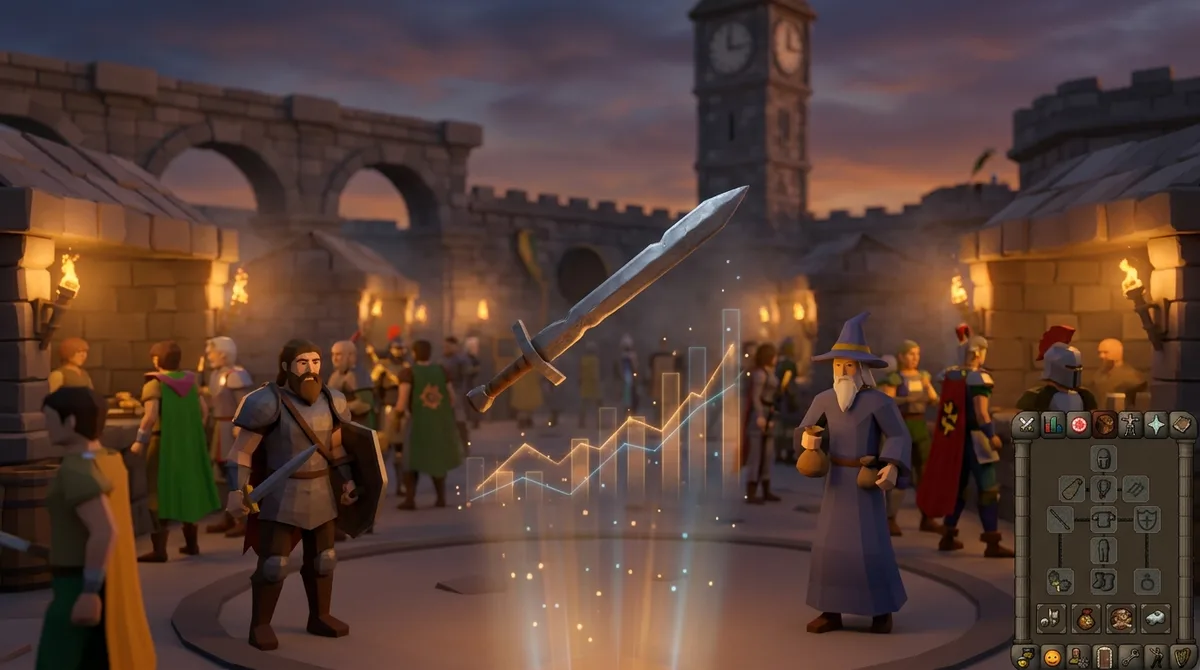
Not always. A Grand Exchange guide price isn’t necessarily the average price people actually trade for, so the number on screen can differ from what you pay or receive. The OSRS Wiki’s market prices page warns about this gap, and it matters when you save coins for a weapon.
The source of the price data has also changed over time. The OSRS Wiki says its real-time Grand Exchange data from before 30 September 2026 came from RuneLite, while data from that date onward comes from Jagex. If you check a price from an older source, note when it was recorded before you rely on it for a purchase.
A fixed shop price is easy to budget for, but a Grand Exchange price moves with the market. Before you commit, try this routine:
- Look at recent completed trades for the weapon, not just the guide price.
- Check whether the price has stayed steady or jumped around over the past few days.
- Add a margin on top of the amount you plan to spend, so a higher trade doesn’t leave you short.
- Keep spare coins for the moment you actually place the offer.
The margin is the part most players skip. If recent trades for a weapon sit above the guide price, budget around those trades. If they sit below it, you may get a better deal, but hold back some coins in case the price climbs while you wait for a seller.
Your budget also depends on how you plan to use the weapon. A melee upgrade you buy this week may cost more than the guide price suggests, and a magic staff with running costs needs room for runes and coins on top of its purchase price. Treat the guide price as a starting point, then build your real budget from the trades you see and the extra costs you already know about.
Choosing Your Weapon for Your Next Training Session
Start with one training session you have planned this week. Write down the monster or skill, the combat style you need, and roughly how many coins you can spend. That note tells you whether a melee weapon, a magic staff or a skilling tool belongs in your weapon slot. If you want to train Strength with a dragon scimitar, first check that you have 60 Attack and have finished Monkey Madness I. If you haven’t, look for a melee weapon you can wield today, and compare its attack speed in your Equipment interface before you spend anything.
Next, pack before you log in. Keep at least one inventory spot free so you can swap weapons mid-fight. Then count your food, potions and supplies against the 39 items you can carry when all 11 equipment slots are filled. If you plan to use a trident, work out how many casts you expect, then gather the death runes, chaos runes, fire runes and coins for that many before you leave.
Finally, test your choice on a short trip. Run a few kills or one training block, and notice how many hits you land per minute and how quickly your Prayer points drain. If the numbers feel off, change one thing at a time, such as the weapon or the shield, and try again. Your first session will tell you more about your setup than any price on a screen.