
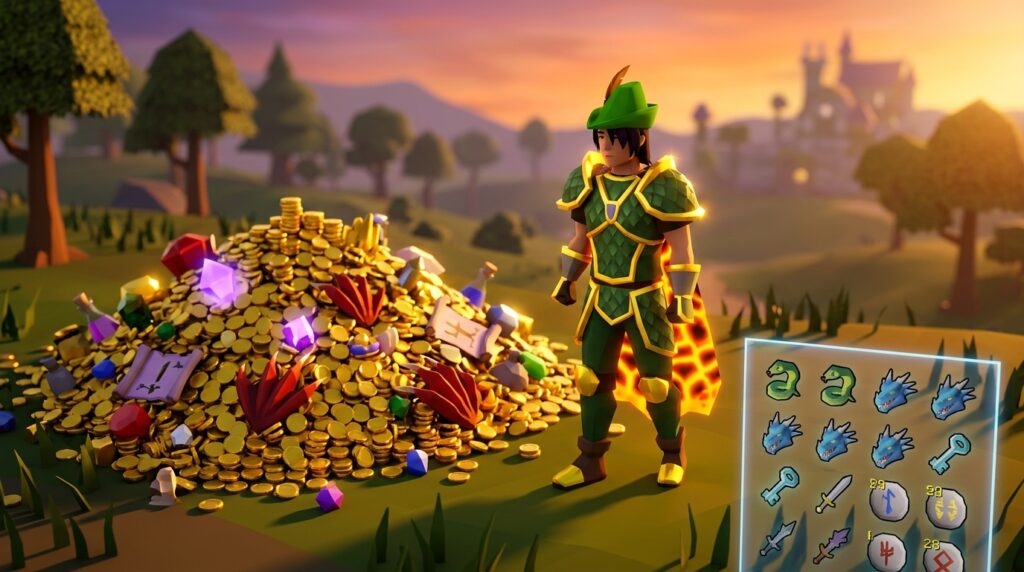
Ever wonder exactly how much gold you’ve earned after a long day of slaying Vorkath or grinding through the Chambers of Xeric? The osrs loot tracker is your best friend for keeping tabs on every drop, from those rare purple lights in Raids to the stacks of dragon bones filling your inventory. It takes the guesswork out of your profit per hour by automatically logging every kill and chest you open.
You can easily customize your view to hide common drops like bronze bolts or bones, letting you focus on the big wins like a twisted bow or a Draconic visage. If you’re logged into your account, the tracker even saves your history for up to 90 days, so you can see your progress over months of gameplay. It’s the perfect way to stay motivated during a long dry streak or to show off your luck to your clanmates.
Key Takeaways
- Customizing the loot tracker with the ignore feature and price type settings transforms a simple item list into a strategic dashboard that filters out low-value clutter.
- Signing into a RuneLite account enables cloud syncing and 90-day data retention, allowing players to track long-term profit trends and maintain progress across multiple devices.
- Comparing personal drop counts against official wiki rates helps players visualize their luck and stay motivated during long dry streaks by proving consistent wealth accumulation.
- Integrating loot data with third-party trackers facilitates fair clan competitions and provides a permanent, shareable record of rare drops and raiding achievements.
Configuring Your RuneLite Loot Tracker Settings
To turn your loot tracker into a powerful tool for bank growth, you first need to clear out the noise by using the ignore feature. While you are grinding out thousands of kills at Vorkath, your sidebar can quickly become cluttered with low-value items like bronze bolts or basic dragon bones that distract from your actual profit goals. By right-clicking these junk items directly in the tracker or adding them to the ignored items list in the plugin settings, you ensure that only the loot that matters stays visible. This keeps your interface clean and allows you to focus on the high-value drops like Draconic Visages or Skeletal Visages that truly impact your wealth.
Once you have filtered out the clutter, you should focus on how the tracker helps you visualize long-term progress during extended bossing sessions. If you sign into your account, the client saves your history on its servers for up to 90 days, which is perfect for tracking your total earnings over a long Slayer grind or a focused month at Zulrah. You can see exactly how many Zul-andra teleports or Tanzanite fangs you have received, giving you a clear picture of your average profit per hour. This data is essential for staying motivated because it proves that even if you have a dry spell, your consistent work is steadily building your bank account over time.
You can also customize the price type setting to reflect either the current Grand Exchange price or the High Alch value, depending on how you plan to sell your items. For players focused on raw cash, setting the tracker to High Alch value is great for activities like the Barrows chests where many rewards are destined for the alchemy fire. If you are hunting for rare drops to sell for a massive profit, sticking with the Grand Exchange price helps you see the true market value of your loot tab. By fine-tuning these settings, you transform a simple list of items into a strategic dashboard that helps you master your bank and manage your Old School RuneScape journey more effectively.
Analyzing Hourly Profit And Drop Rates
Monitoring your GP-per-hour is the best way to determine if your current grind is actually worth your time. When you open your loot tracker after a long session at Zulrah or Vorkath, you can see a clear breakdown of your total wealth gained versus the time you spent fighting. This data helps you decide if you should stick with a boss for consistent profit or move on to something more lucrative. By looking at the total value of common drops like dragon bones or grapes, you can see how much your bank grows even without hitting a unique item. It turns a repetitive task into a measurable goal for your account’s progress.
Comparing your personal drop counts against the official wiki rates is a great way to visualize their luck and stay motivated during long dry streaks by proving consistent wealth accumulation. If the wiki says the chances of getting a Bowstring from a Temple Trekking reward are one in ten, but your tracker shows you have gone fifty rounds without one, you know you are due for some better luck soon. This feature is especially helpful for long-term grinds like the Dragon Warhammer from Lizardman Shamans where the drop rate is quite rare. Seeing the actual numbers laid out helps keep you motivated because you can track exactly how close you are to reaching the statistical average.
The tracker also helps you spot when you have hit the rare drop table, which can sometimes be confusing during a busy slayer task. If you see a random uncut diamond or a dragon med helm in your loot log while fighting Abyssal Demons, you can immediately identify it as a rare roll rather than a standard drop. This level of detail allows you to visualize your luck over thousands of kills, making it easier to manage your expectations for future sessions. Understanding these patterns turns every monster kill into a data point that helps you plan your next big gear upgrade. Whether you are hunting for a specific pet or just trying to max your hourly profit, these insights are essential for any dedicated player.
Managing Long Term Data And Cloud Syncing
To ensure your hard-earned progress is never lost, you should start by signing into your account within the client. This simple step moves your data from your local computer to the cloud, allowing you to access your loot history across different devices. Without this sync, your data is at risk if you clear your cache or switch to a new laptop. Once you are logged in, the client automatically backs up every drop you receive from Slayer tasks or boss runs. This setup is the foundation for turning a simple play session into a detailed record of your growing bank value.
The standard tracking system keeps your loot for 90 days, but there is a clever way to keep your data much longer. As long as you receive at least one drop from a specific source every 90 days, the tracker will keep that entire history indefinitely. For example, if you are grinding from level 1 to 99 Slayer, just make sure you kill at least one Abyssal Demon or Gargoyle every few months to keep those totals active. This allows you to see the massive accumulation of items like Rune Battleaxes or Mystic Robe bottoms over your entire career. Seeing thousands of drops stacked up in one window makes the long journey feel much more rewarding.
Visualizing your total profit helps you understand which activities are actually boosting your wealth the most. You can use the ignore feature to hide low-value items like bones or ashes, focusing instead on the high-ticket items like Zenyte shards or Dragon Boots. This clean view gives you a professional look at your hourly rates and total milestones without the clutter of common drops. By managing your cloud settings properly, you can look back after months of playing and see exactly how many millions of GP you earned on your way to a Max Cape. Tracking your progress this way turns the daily grind into a clear path toward your next big gear upgrade.
Using Third Party Trackers For Clan Competitions
When you are grinding out hundreds of Chambers of Xeric completions, seeing your progress visualized through a dedicated tracker makes the long journey feel much more rewarding. These tools do more than just list items, as they allow you to sync your data to a central hub where your friends and clanmates can celebrate every Purple chest you roll. Instead of just telling your team about a Dexterous Prayer Scroll or a Twisted Bow, you can provide a permanent record of your luck and bank growth. This transparency builds trust within your raiding team and ensures that everyone stays motivated during those inevitable dry streaks.
Clan bingo events are a staple of the Old School RuneScape community, and using external trackers is the most efficient way to keep the competition fair and exciting. These platforms automatically pull data from your client to verify drops like a Dragon Warhammer or a Gilded piece from a Hard Clue Scroll in real time. You no longer have to worry about manually taking screenshots or missing a drop notification while you are busy dodging crystals in the Great Olm’s chamber. Having a live leaderboard creates a high energy atmosphere that pushes everyone to log in and contribute more points to their team’s total.
Beyond the competitive aspect, these trackers serve as a personal archive for your journey toward a maxed bank or a completed Collection Log. You can look back over months of data to see exactly how much profit you earned from Slayer tasks or bossing sessions at the Alchemical Hydra. Seeing your total wealth accumulate in a clean interface helps you stay focused on your long term goals, such as saving up for a Scythe of Vitur or a Tumeken’s Shadow. Tracking your loot this way turns the daily grind into a measurable path toward endgame success.
Visualize Your Progress Toward Big Upgrades
Visualizing your progress is the best way to stay motivated during those long grinds for a Twisted Bow or a Scythe of Vitur. By using the loot tracker, you can see your bank value grow in real time rather than just guessing how much gold you are making per hour. It turns a single drop from bosses like Zulrah or Vorkath into a tangible step toward your next big gear upgrade. Seeing a stack of thousands of dragon bones or scales neatly organized in your sidebar helps you appreciate the journey even when you are waiting for that rare unique.
Setting up your tracking tools correctly ensures that you are only focusing on the data that actually matters for your goals. You can easily hide low value items like bronze bolts or bones from your display to keep your profit window clean and professional. This allows you to focus on the high value loot from raids like the Chambers of Xeric or the Tombs of Amascut without getting distracted by junk. When you can look back at a week of bossing and see exactly how many millions of gold you earned, it makes the effort feel much more rewarding. To improve your efficiency in these high-stakes encounters, you can master the grid to ensure you are always standing in the optimal position for every mechanic.
Start using these features today to keep a permanent record of your achievements across Gielinor. Whether you are hunting for a specific pet or just trying to fund a full set of Torva armor, data is your best friend for staying on track. Every kill count and every drop adds up over time, and having that visual history prevents you from feeling like you are stuck in a plateau. Take control of your bossing sessions now and watch your wealth accumulate one drop at a time.
Frequently Asked Questions
1. How long does the loot tracker keep my drop history?
When you sign into your account, the tracker stores your data for up to 90 days. This lets you look back at your progress over several months to see exactly how much you earned during a long Zulrah grind or a Slayer marathon.
2. Can I hide trash items like bronze bolts from my loot list?
Yes, you can easily clean up your sidebar by using the ignore feature. Simply right click low value items like bones or bronze bolts in the tracker to hide them, which keeps your view focused on the big drops like Draconic Visages.
3. Does the tracker work for boss chests like the Chambers of Xeric?
The tracker automatically logs every chest you open and every kill you make. It is perfect for Raids because it captures those rare purple lights and adds them to your total profit without you needing to manually type anything in.
4. Will the loot tracker show me my profit per hour?
It takes all the guesswork out of your bank growth by calculating the value of every item you pick up. By logging every Vorkath kill and dragon bone, you can see exactly how much gold you are making for every hour you spend in the game.
5. What happens if I am on a long dry streak at a boss?
The tracker is a great way to stay motivated when you aren’t seeing the big drops. Even if you haven’t seen a Twisted Bow yet, seeing your total loot count and small wins add up over time helps you stay focused on your goals.
6. Is it possible to show my loot history to my friends?
You can use your saved loot history to show off your luck or your dedication to your clanmates. It provides a clear record of your kills and drops, making it easy to prove that you finally landed that rare Skeletal Visage.
To further optimize your gameplay, you can master the RuneLite Menu Entry Swapper to customize left-click actions for faster banking and training during your grinds.