
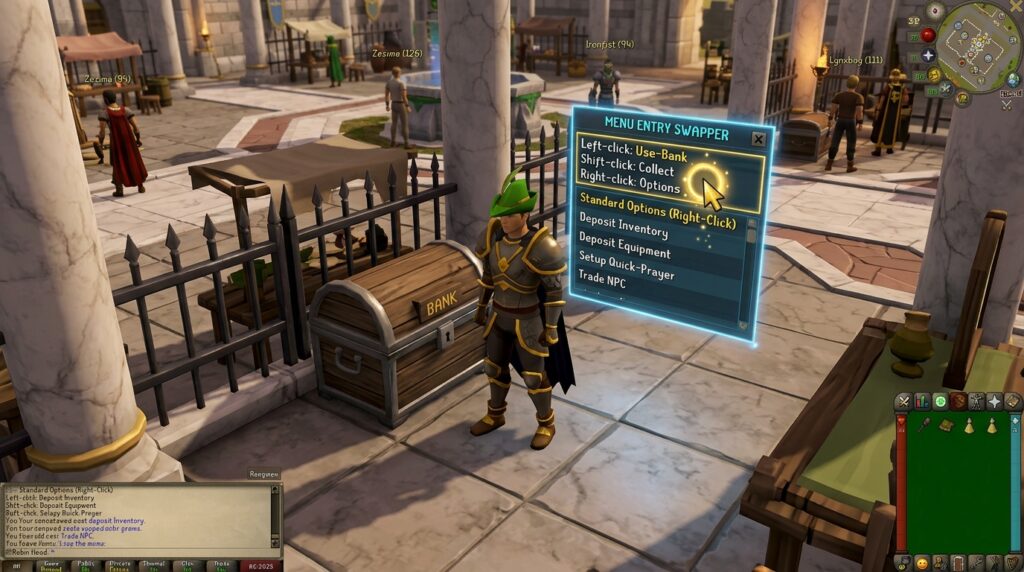
Tired of accidentally talking to the banker when you just want to access your gold, or clicking through layers of menus just to use a Fairy Ring? The runelite menu entry swapper is a powerful tool that lets you rewrite the rules of Old School RuneScape to fit your playstyle. By simply holding shift and right-clicking, you can turn tedious multi-click tasks into instant actions. Whether you want to swap “Talk-to” for “Pickpocket” on a Master Farmer or change a jewelry box to your favorite teleport destination, this plugin saves you time and clicks.
Customizing your interface makes every grind in OSRS feel smoother and more intuitive. You can set your bones to “Offer” at a POH altar for faster Prayer training or make sure your Cape of Accomplishment always uses the “Teleport” option first. Instead of fighting with the default game settings, you can prioritize the actions that actually matter for your current goal. This tool transforms the way you interact with the world, making everything from high-intensity bossing to relaxed skilling much more efficient.
Key Takeaways
- The RuneLite Menu Entry Swapper allows you to redefine default interactions by holding Shift and right-clicking, transforming tedious multi-click menus into instant one-click actions.
- Customizing NPC and object overrides streamlines high-intensity activities like banking, pickpocketing, and Prayer training by prioritizing the most efficient task as the primary left-click.
- Strategic swaps for travel systems, such as setting Fairy Rings to ‘Last-destination’ or jewelry to specific teleports, significantly reduce downtime and modernize movement across Gielinor.
- The plugin features dynamic logic that can prioritize different actions based on context, such as automatically switching essence pouches between ‘Fill’ at banks and ‘Empty’ at altars.
Customizing Left Click Actions For Better Banking
The Menu Entry Swapper is a highly impactful tool available in RuneLite, yet many players leave it on the default settings and miss out on efficiency gains. You can completely transform how you interact with the world by simply holding the Shift key and right-clicking on objects or NPCs. This opens a configuration menu where you can swap the standard Talk-to option for something much more useful like Bank or Trade. Setting this up at the Grand Exchange or Castle Wars allows you to access your items with a single click instead of navigating through sub-menus. It saves a significant amount of time during long sessions of skilling or bossing preparation.
Inventory management becomes much faster when you customize your item interactions to fit your specific needs. For example, you can set your bones to a one-click Bury action or configure your teleport jewelry to use a specific destination on a left-click. If you are training Prayer at a gilded altar, changing the default action on your bones ensures you never accidentally use them on the wrong object. You can also set your food to Eat or your potions to Drink as the primary action to make combat encounters much smoother. These small adjustments remove the friction from repetitive tasks and let you focus more on enjoying the game.
Banking is another area where this plugin shines by allowing you to bypass unnecessary dialogue windows with bank tellers. By setting the left-click action to Bank, you can restock your inventory or deposit your loot in a fraction of a second. This is especially helpful during fast-paced activities like the Blast Furnace or herb cleaning where every tick counts toward your experience rates. Once you get used to the speed of one-click banking, the standard game interface will feel slow in comparison. Taking five minutes to configure these swaps today will save you hours of clicking in the long run.
Faster Training With Shift Click Item Swaps
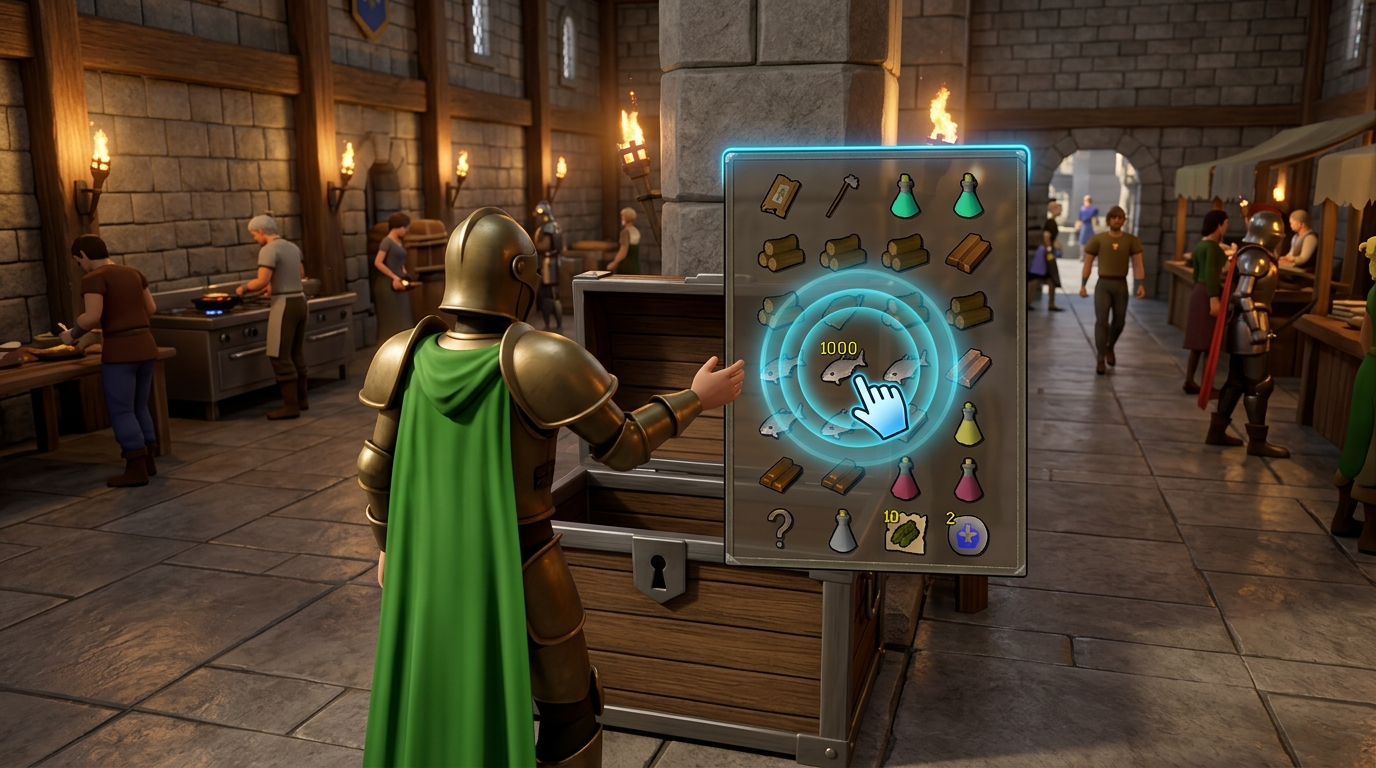
The Menu Entry Swapper is a strong tool in your RuneLite arsenal, yet many players leave it on the default settings and miss out on gains. By simply holding the shift key and right-clicking an item in your inventory, you can redefine what happens when you click. This is helpful for Prayer training because you can set Dragon Bones to “Use” as the default left-click action. Instead of right-clicking every single bone to offer it at a Gilded Altar, you can simply click your way to 99 with half the effort. It turns a click-heavy chore into a relaxed activity that saves your wrists and speeds up your experience rates significantly.
Banking becomes much faster when you use this plugin to customize how you interact with NPCs and chests. You can set the default left-click option on Bankers to “Bank” instead of “Talk-to,” which removes an entire dialogue step every time you want to deposit your loot. This is incredibly helpful for skills like Fishing, where you might be banking thousands of Lava Eels or Karambwans over several days. When your inventory is full, you can also set your shift-click to “Drop” for items you do not want to keep, allowing you to clear your pack in seconds without ever stopping your character. These small time-saves add up to hours of efficiency over the course of your Old School RuneScape journey.
Beyond just training, these custom swaps make traveling around Gielinor feel much more modern and fluid. You can configure Fairy Rings to automatically take you to your “Last-destination” with a single click, or set your Teleport Crystal to send you straight to Prifddinas. Even your worn equipment can be modified so that a shift-click on your Construction Cape teleports you directly to your house. Taking a few minutes to set up these shortcuts will make your daily gameplay feel much smoother and more enjoyable. Once you start using one-click banking and customized item swaps, you will wonder how you ever played the game without them.
Streamlining Travel Through Object And NPC Overrides
The Menu Entry Swapper is a powerful tool available in Old School RuneScape, yet many players never take the time to customize it. By default, interacting with travel systems like Fairy Rings or Spirit Trees often requires you to navigate through multiple dialogue boxes or right-click menus. With this plugin enabled, you can hold the shift key and right-click these objects to set your preferred default action. Changing a Fairy Ring to Last-destination allows you to jump right back to your previous slayer task or boss encounter with a single click. This simple adjustment saves you seconds on every trip, which adds up to hours of saved time over your entire skilling journey.
Beyond just travel, you can use these overrides to make your daily banking and training much smoother. You can configure bank booths so that a left-click immediately opens your bank tab rather than starting a conversation with the banker. For players training Prayer, setting bones to a left-click Use or Bury action makes the process significantly faster and less tedious. You can even swap NPC options so you can pickpocket guards or master farmers without accidentally talking to them. These small tweaks remove the clunkiness of the standard interface and let you focus on playing the game instead of fighting with menus.
Fixing Dynamic Essence Pouch Behavior For Runecrafting
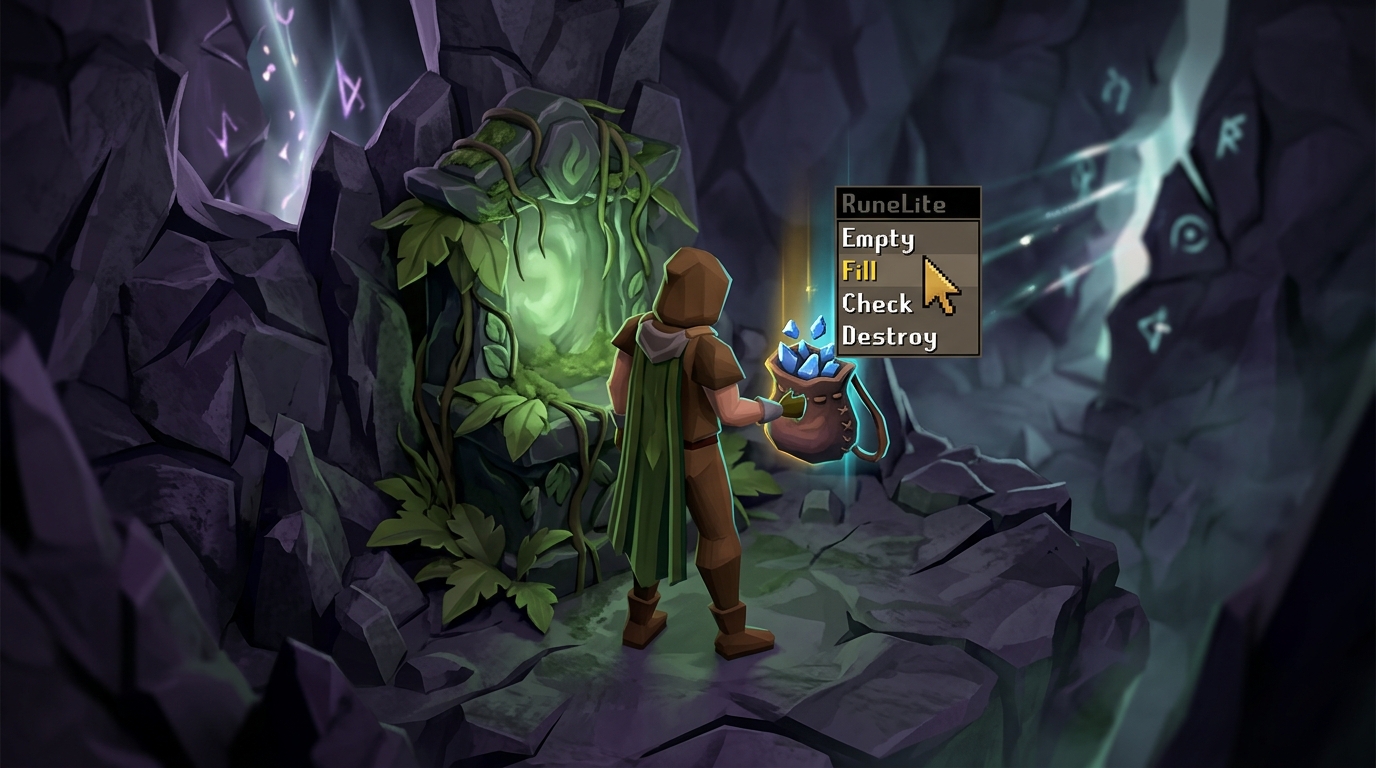
If you have been training Runecrafting lately, you might have noticed that your Colossal Pouch is no longer behaving the way it used to during your runs. Recent updates changed how certain containers interact with your inventory, which can often break the seamless flow of filling and emptying your essence. The Menu Entry Swapper plugin is the best tool to fix this, allowing you to force the pouch to prioritize the Fill option when you are at a bank and the Empty option when you are at an altar. By customizing these specific triggers, you can get back to that rhythmic one-click gameplay that makes the skill much less tedious.
To get your pouch back on track, you simply need to hold the Shift key and right-click your Colossal Pouch while your bank interface is open. From the menu that appears, you can manually set the left-click swap to Fill so that you never accidentally check the contents or empty it while trying to stock up. Once you leave the bank and head to the Guardians of the Rift or a standard altar, you can use the same Shift and right-click method to ensure the default action becomes Empty. This dynamic switching effectively removes the need to constantly navigate right-click menus, saving you precious seconds on every single trip you take.
Taking a few minutes to master these swaps will drastically improve your experience whether you are crafting blood runes or grinding through the Abyss. The beauty of the Menu Entry Swapper is that it remembers your preferences based on whether your bank is open or closed, creating an automated feel for your inventory management. Beyond just pouches, you can apply these same logic rules to your teleport jewelry to make your daily tasks much more efficient. You can also master the grid by highlighting safe spots and boss mechanics to survive the toughest raids. Take a moment to tweak your settings today and enjoy a much smoother, more enjoyable journey through Gielinor.
Streamline Your Gameplay with Custom One-Click Actions
The Menu Entry Swapper is an impactful tool available in RuneLite, and taking a few minutes to customize it will change how you play Old School RuneScape. By simply holding the shift key and right-clicking, you can turn tedious multi-click tasks into effortless one-click actions. You can set your favorite bank booth to a default left-click bank option, saving you from accidentally talking to the banker every time you need supplies. This plugin removes the small frustrations that add up over hours of gameplay, making your sessions feel much smoother and more modern.
If you are looking to speed up your training, this tool is helpful for high-intensity skills like Prayer or Thieving. You can configure bones to have a left-click bury option or set NPCs like Master Farmers to a default pickpocket action instead of the standard talk-to menu. These strategic swaps significantly reduce mouse movement and clicking fatigue, allowing you to focus on your goals rather than fighting with the interface. Whether you are teleporting with jewelry or maximizing your prayer gains, these shortcuts keep you moving through Gielinor at a much faster pace.
Ultimately, the power of this plugin lies in how much control it gives you over your own gaming experience. From changing the left-click option on your worn equipment to customizing how you interact with complex objects like the bird house runs on Fossil Island, the possibilities are endless. Don’t settle for the default settings when you can tailor every interaction to fit your specific needs. Just as you might use a RuneLite Quest Helper to simplify your adventures, these custom swaps streamline your daily runs and combat encounters, making you wonder how you ever managed to play without them. For those looking to further refine their efficiency, OSRS house layout optimization can work in tandem with these swaps to create the perfect player hub.
Frequently Asked Questions
1. How do I change a left-click action using Menu Entry Swapper?
Simply hold down the Shift key on your keyboard and right-click the object or NPC you want to change. A menu will appear allowing you to select a new default action, such as changing ‘Talk-to’ to ‘Bank’ on a banker.
2. Is using the Menu Entry Swapper allowed in Old School RuneScape?
Yes, this plugin is fully compliant with game rules and is safe to use within the official RuneLite client. It only reorders existing menu options and does not perform automated actions or macros for you.
3. Can I use this plugin to make Prayer training faster?
You can set your bones to the ‘Offer’ action when clicking on a burning incense burner at a Player Owned House altar. This allows you to train your Prayer much faster by removing the need to manually use every bone on the altar.
4. How does this help with Thieving from Master Farmers?
You can swap the default ‘Talk-to’ option to ‘Pickpocket’ so you can harvest seeds with a single left-click. This makes long skilling sessions much more relaxed because you no longer have to right-click every time you want to steal.
5. Can I customize the options for my teleport jewelry and capes?
You can set your favorite destination as the default left-click for jewelry boxes in your house or for your Skill Capes. For example, you can set your Construction Cape to teleport you directly to your house entrance with one click.
6. Does this plugin work for teleporting at Fairy Rings?
It allows you to change the default click to ‘Last-destination’ so you can jump right back to your previous location. This is incredibly helpful for tasks like Zulrah or Slayer where you frequently use the same teleport code.
7. How do I reset a swap if I make a mistake?
Hold Shift and right-click the object again to see your current custom settings. You can then select the ‘Reset’ option to return the object to its original game behavior.