
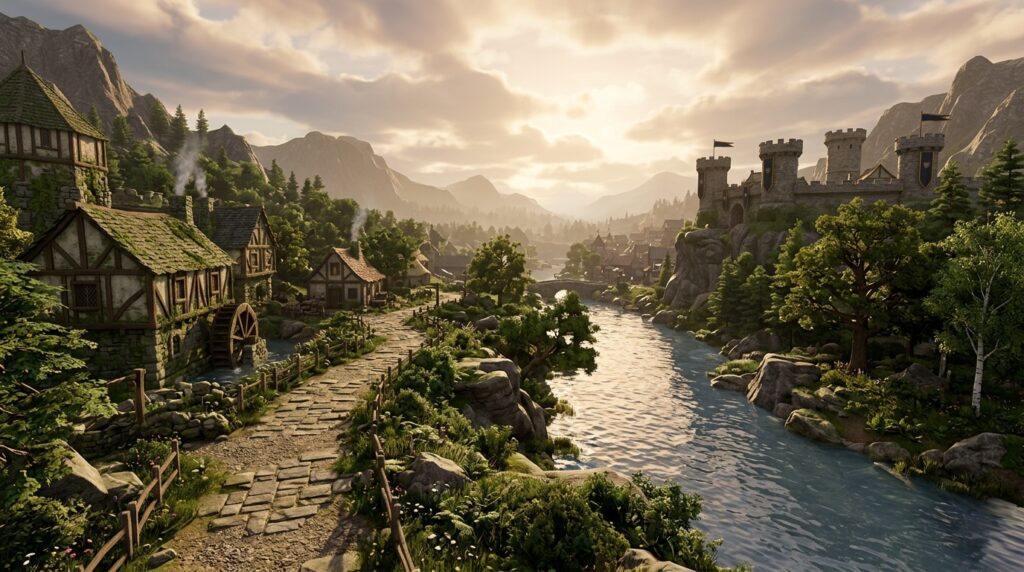
Wondering whether 117 HD is worth using for Old School RuneScape? For most desktop players with a decent graphics card, the HD plugin makes Gielinor feel far more alive with improved lighting, shadows, textures, water, fog, and draw distance. Familiar places such as Lumbridge, Varrock, and the Wilderness can look dramatically better without changing how you play.
The trade-off is performance. Richer graphics can use more power, lower your frame rate, or cause stutters on older computers. If your setup handles the extra load, the visual upgrade is easy to appreciate. If it does not, the standard game renderer may provide a smoother experience.
Key Takeaways
- 117 HD significantly improves Old School RuneScape’s atmosphere with enhanced lighting, shadows, textures, water, fog, skies, and draw distance without changing core gameplay.
- The plugin requires more GPU power and can cause lower FPS, stuttering, higher temperatures, fan noise, or battery drain, especially on older hardware and laptops.
- Test 117 HD for 15–30 minutes in busy areas with your usual plugins, checking frame rate, stability, GPU temperature, and battery impact before making it your default renderer.
- Adjust shadows, draw distance, anti-aliasing, fog, lighting, water effects, and FPS limits to balance visual quality with smooth performance; use the standard renderer if stability matters more than graphical detail.
117 HD Visual Upgrades
117 HD is worth trying if you want Old School RuneScape to feel more modern without changing how you play. Dynamic lighting and real-time shadows give areas more depth, while longer draw distance lets you see farther around Lumbridge, Varrock, and other familiar locations. Improved textures, anti-aliasing, fog, and enhanced skies make the world look cleaner and less flat, especially when you move between bright towns and darker regions. Wilderness areas also feel more atmospheric, with stronger shadows, mist, and environmental effects adding to the sense of danger. In TzHaar content, warmer lighting and improved detail make the volcanic caves and lava-filled surroundings look noticeably more dramatic.
The main question is whether your desktop can handle the extra GPU load. On a reasonably capable gaming or modern office computer, you can usually enjoy the visual upgrades smoothly. Older hardware may experience stuttering, higher power use, or lower frame rates than the standard renderer. You can adjust settings such as draw distance, shadows, and lighting quality to find a balance that suits your system. Compatibility can also vary with other plugins, so test your usual activities before making 117 HD your default setup. For most desktop players who value atmosphere and visual polish, the clearer scenery and richer environments make the small performance trade-off worthwhile.
HD Performance Costs
117 HD puts more demand on your GPU than the standard renderer, so the visual upgrade can come with a performance cost. Higher-quality shadows, longer draw distance, anti-aliasing, and detailed lighting effects all require extra graphics power. On a modern desktop with a reasonably capable GPU, you will usually get smooth gameplay while enjoying clearer scenery, better lighting, and more atmospheric areas across Old School RuneScape. On an older laptop or lower-end desktop, those same effects may increase fan noise, use more power, or cause stuttering in busy areas.
You can reduce the load by lowering shadow quality, shortening the draw distance, disabling anti-aliasing, or turning off extra lighting effects. Unlocked FPS can also make your GPU work harder, especially if you set it far above your monitor’s refresh rate, so a sensible FPS limit may create a smoother experience. If the standard renderer already runs perfectly but your device struggles with 117 HD, the extra visual polish may not be worth the trade-off. For most desktop players, adjusting a few settings is enough to make the HD plugin worthwhile without sacrificing responsive gameplay.
HD Compatibility Checks
Before fully switching to 117 HD in Old School RuneScape, test it alongside your usual setup. Turn on your most-used plugins, such as ground items, NPC indicators, and tile markers, then check that they still work as expected with the HD renderer. You can keep using familiar tools, but some combinations may need small setting changes or a visual effect turned off.
Play for 15 to 30 minutes in areas that reflect your normal routine, such as the Grand Exchange, Chambers of Xeric, or a busy Slayer location. Watch your frame rate during movement, combat, and camera rotation, because a steady frame rate matters more than higher-quality shadows or textures. You should also check your GPU temperature and listen for louder fan activity, especially on a laptop or older desktop. If performance drops or stutters, lower draw distance, shadows, fog, lighting, or other effects until gameplay feels smooth.
Your screen resolution and power settings can also affect whether 117 HD feels worthwhile. Higher resolutions make the graphics look sharper, but they can increase GPU use. Playing on battery may also drain a laptop much faster than the standard renderer. Test both plugged-in and unplugged play if you use a laptop, and compare battery life during a normal Old School RuneScape session. If the visuals are a clear improvement without unstable FPS, excessive heat, or poor battery life, 117 HD is likely a worthwhile upgrade for your setup.
Who Should Use HD
117 HD is worth using for most Old School RuneScape players on a desktop with a reasonably capable GPU. You get improved lighting, shadows, textures, water, fog, and draw distance while keeping access to your usual plugin features. The visual upgrade makes areas such as Fossil Island, Prifddinas, and Kourend feel more detailed without changing how the game plays. If you enjoy a more modern look and have performance to spare, 117 HD is a strong choice.
Your priorities matter if you care more about smooth performance than enhanced visuals. Players seeking maximum FPS, using older hardware, or playing on a laptop away from a charger may prefer the standard renderer because it uses less power and can produce fewer stutters. The standard option is also a safer pick if your graphics card struggles with newer effects or you want a consistent experience during busy activities. For simple skilling, bossing, or long gaming sessions, stable performance may be more valuable than extra detail.
You can adjust 117 HD instead of choosing between visual quality and performance. Lower shadow quality, reduce draw distance, or turn off effects such as fog and high-quality water if your FPS drops. Start with the default settings, then change one option at a time while checking busy areas, raids, or large player gatherings. This approach helps you find a balance that suits your desktop, laptop, and power settings.
Why HD Is Worth Trying
117 HD is worth trying for most desktop Old School RuneScape players who want Gielinor to feel more modern and atmospheric. Improved lighting, shadows, water, textures, draw distance, fog, and sky colors can make familiar areas such as Lumbridge, Varrock, and the Wilderness feel fresh without changing how you play. It is especially appealing if your computer has a reasonably capable graphics card and you enjoy exploring the world rather than chasing the highest possible frame rate. You can also adjust the settings or turn the plugin off if the visual changes do not suit your play style.
The main question is whether those improvements are worth the extra performance cost on your computer. 117 HD may increase GPU usage, power consumption, or stuttering, and some setups may work better with the simpler renderer. Try it during normal activities such as questing, skilling, and bossing before making it your default setup, then keep the option that feels smoother and more enjoyable. If you are reviewing the risks of account-related shortcuts, research the dangers of OSRS boosting services before taking action.